


Introduction
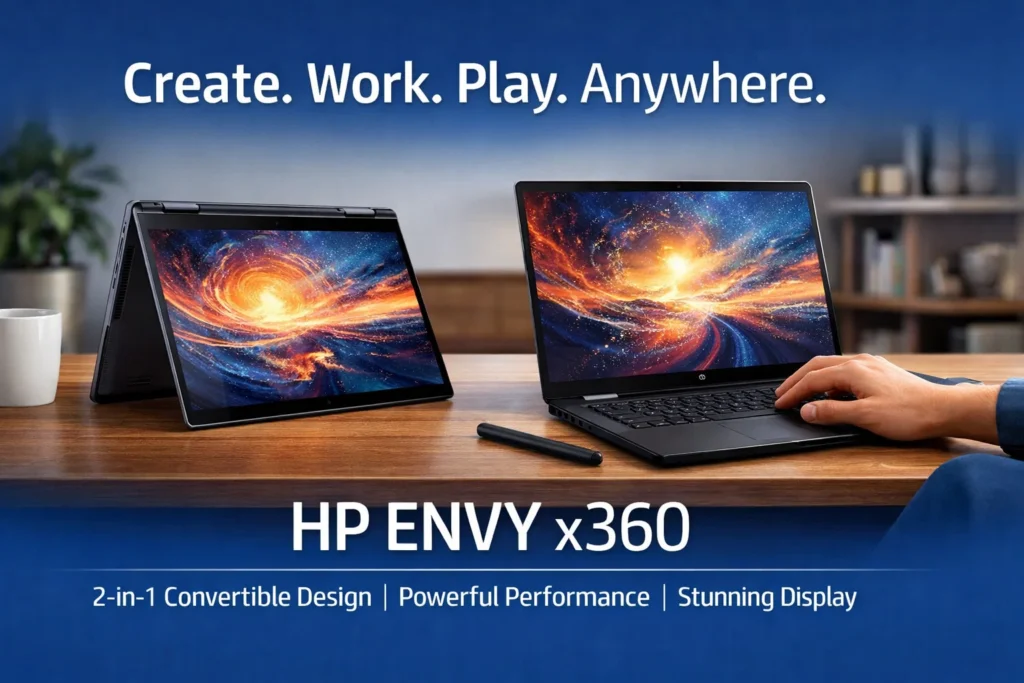
The HP Envy x360 is a premium 2-in-1 laptop designed for users who want flexibility, power, and a modern design. It can be used as a traditional laptop, a tablet, or in tent mode, making it suitable for students, professionals, creators, and business users.
HP has positioned the Envy x360 as a high-quality device that offers strong performance, a beautiful touchscreen display, and excellent build quality. It is ideal for people who want a powerful laptop that can also handle creative tasks like drawing, note-taking, and presentations.
This article explains everything about the HP Envy x360 in simple and easy-to-understand language.
Design and Build Quality
The HP Envy x360 has a premium and elegant design. It is made with a metal body that feels strong and durable. The laptop looks professional and modern, making it suitable for office, college, and home use.
Thanks to its 360-degree hinge, you can use the laptop in different modes:
- Laptop mode for work
- Tablet mode for reading and drawing
- Tent mode for watching videos
- Stand mode for presentations
Despite being powerful, the laptop is slim and lightweight, making it easy to carry.
Display Quality
The HP Envy x360 comes with a touchscreen Full HD display, and some models offer higher resolution options. The screen is bright, sharp, and colorful.
The touchscreen is very responsive and works well with:
- Touch gestures
- Stylus or digital pen
- The display is excellent for:
- Office work
- Watching movies
- Online classes
- Drawing and note-taking
The anti-glare coating helps reduce reflections and eye strain during long usage.
Performance and Processor
The HP Envy x360 is available with Intel Core or AMD Ryzen processors, depending on the model. These processors provide strong performance for everyday tasks and creative work.
With this laptop, you can easily:
- Use office applications
- Browse with many tabs open
- Attend video meetings
- Edit photos
- Do light video editing
The performance is smooth and reliable. While it is not designed for heavy gaming, it can handle casual games and demanding productivity tasks without problems.
RAM and Storage
The HP Envy x360 usually offers:
- 8GB or 16GB RAM
- SSD storage options such as 256GB or 512GB
SSD storage makes the laptop fast and responsive. Boot times are quick, applications open fast, and overall performance feels smooth.
Battery Life
Battery life is one of the strong points of the HP Envy x360. On average use, it can last 8 to 11 hours, depending on usage and screen brightness.
This makes it suitable for:
- Full workdays
- Online classes
- Travel and remote work
Fast charging support allows you to charge the laptop quickly when needed.
Keyboard, Touchpad, and Pen Support
The HP Envy x360 features a comfortable keyboard with good key spacing. Typing feels smooth and quiet, making it ideal for long typing sessions.
Many models include a backlit keyboard, which is helpful in low-light environments.
The touchpad is smooth and responsive.
The laptop also supports HP digital pen (sold separately), which is great for drawing, writing notes, and creative work.
Audio and Webcam
The speakers on the HP Envy x360 deliver clear and rich sound, suitable for:
- Video calls
- Watching movies
- Music playback
The webcam quality is good for online meetings and classes, offering clear video in normal lighting conditions.
Connectivity and Ports
The HP Envy x360 includes modern connectivity options.
Common ports include:
- USB Type-A
- USB Type-C
- HDMI
- Headphone and microphone combo jack
Wireless connectivity includes Wi-Fi and Bluetooth for stable and fast connections.
Pros and Cons
| Feature | Details |
|---|---|
| Design | Premium metal body, 2-in-1 |
| Display | Touchscreen, bright and clear |
| Performance | Strong for daily and creative work |
| Battery Life | Long-lasting |
| Portability | Slim and lightweight |
| Pen Support | Excellent for creativity |
| Gaming | Not suitable for heavy gaming |
| Price | Slightly premium |
Who Should Buy HP Envy x360?
The HP Envy x360 is ideal for:
- Students
- Professionals
- Business users
- Designers and creators
- Remote workers
It may not be suitable for users who want a low-cost laptop or high-end gaming performance.
Final Verdict
The HP Envy x360 is a premium and versatile 2-in-1 laptop that offers strong performance, excellent display quality, and flexible usage modes. It is perfect for users who want both productivity and creativity in one device.
If you are looking for a stylish, powerful, and flexible laptop that can adapt to different needs, the HP Envy x360 is an excellent choice.
more :- HP Envy x360
